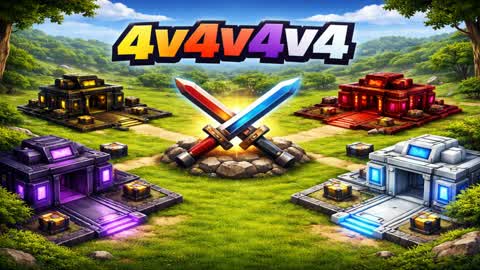
roleplay | rp!
by avnertabMap code: 1019-7761-5595
One vote per map per day. Resets Monday.

About roleplay | rp!
roleplay | rp! is a Practice, Party Games and Roleplay map in Fortnite by avnertab, built with Unreal Editor for Fortnite (UEFN). Its map code is 1019-7761-5595. It supports up to 16 players and is rated PEGI 12. The map was released on Apr 3, 2026 and last updated on Oct 15, 2026. Over the last 7 days it was played 123 times by 107 players, with a peak of 6 concurrent players and sessions of 11 minutes on average. Tags: role playing, just for fun, funny, training.
From the creator
Supercars to Unlock 🚓 Fully Working Police Cars 🏁 PVP Sprint and Circuit Races 💯 Speed Traps, Smash Boards
- role playing
- just for fun
- funny
- training
4
Peak today
roleplay | rp! player count and stats
Daily plays went from 8 on Sunday, Oct 18 to 10 on Monday, Oct 26 (+25%). The busiest day was Sunday, Oct 25, with 32 plays. The most players at once was 6, on Thursday, Oct 22.
Plays, 7 days
123
Peak players, 7 days
6
Minutes played, 7 days
1.3K
Avg. session
11.4min
Favorites, 7 days
8
Votes this week
0
| Day | Plays | Players | Most players at once | Avg. session |
|---|---|---|---|---|
| Sunday, Oct 18 | 8 | 5 | 2 | 1.8 min |
| Monday, Oct 19 | 9 | 6 | 2 | 13.8 min |
| Tuesday, Oct 20 | 19 | 12 | 3 | 5.5 min |
| Thursday, Oct 22 | 19 | 18 | 6 | 27.4 min |
| Friday, Oct 23 | 18 | 17 | 5 | 7.1 min |
| Saturday, Oct 24 | 25 | 23 | 4 | 7.1 min |
| Sunday, Oct 25 | 32 | 29 | 4 | 15.8 min |
| Monday, Oct 26 | 10 | 8 | 2 | 5.8 min |
roleplay | rp! rankings this week
#10,076
of 25,695 active Fortnite maps
#2,046
of 4,978 Practice maps, page 43
#1,948
of 4,678 Party Games maps, page 41
#872
of 1,888 Roleplay maps, page 19
#776
of 1,953 9-16 Player Practice maps, page 17
#758
of 1,881 9-16 Player Party Games maps, page 16
#206
of 464 9-16 Player Roleplay maps, page 5
#3,555
of 9,778 9-16 Player maps, page 75
Same order as the Top 100 and category pages: plays over 7 days, peak players over 24 hours and community votes. How the ranking works

How to play roleplay | rp! in Fortnite
Step 1
Open Fortnite
Launch Fortnite on PC, console or mobile. It's free to play.
Step 2
Search the code
Go to Discover, open Search and enter the island code 1019-7761-5595.
Step 3
Play
Select roleplay | rp! by avnertab and press Play. You can also add it to your favorites.
Similar maps
 129.8K
Murder Mystery
 32.3K
MIC UP 🎃 PROXIMITY CHAT
 122.2K
CASH CITY
 121.8K
FortM
 121.1K
The Hood
 121.2K
Werewolf Murder Mystery 🐺
 12808
🚓 BANK CITY 🏙️ سيتي بنك 🚨
 PARENTAL GUIDANCE RECOMMENDED707
MEET UP - PROXIMITY CHAT RP 📞
 1236K
PILLARS
 12546
DRIVE CITY RP
 12651
FLAKEZC PARTY
 12647
THA BRONX
 1244K
STEAL THE BRAINROT
 12353
IMPOSTOR
 12370
RESPECT TOWN⭐ريسبكت تاون
 12366
🎃 Tuff's Club 🎃